Summary: Nonprofits operate on tight budgets, making expensive website builders impractical. This guide reviews the best website builder for nonprofit organizations, including free options, discounted programs, and platforms that offer special pricing for 501(c)(3) organizations trying to maximize their impact while minimizing costs.
Last updated: January 6, 2026
Choosing the best website builder for nonprofit organizations means finding platforms that understand budget constraints while still providing the professional features nonprofits need to attract donors, recruit volunteers, and communicate their mission effectively. The good news? Many major website builders offer significant discounts or completely free plans for registered nonprofits—you just need to know where to look and how to apply.
The best website builder for nonprofit organizations should make it easy to accept donations, showcase your impact through compelling storytelling, manage events, and build an email list of supporters. It should also be affordable enough that you’re spending donations on your mission, not on website subscriptions. Whether you’re a small community organization or an established nonprofit with national reach, this guide will help you find the perfect platform for your needs and budget.
Let’s explore the best website builder options for nonprofit organizations, from completely free programs to discounted premium platforms that deliver professional results without the premium price tag.

What Makes a Great Nonprofit Website Builder?
Before diving into specific platforms, it’s important to understand what actually matters in a website builder when you’re running a nonprofit. Your needs differ significantly from for-profit businesses, and the best website builder for nonprofit organizations should reflect those unique requirements.
Donation integration is absolutely critical. Your website needs seamless integration with payment processors and donation platforms like PayPal, Stripe, or dedicated nonprofit payment processors like Network for Good or Donorbox. The easier you make it for people to donate, the more donations you’ll receive. One-click donation buttons, recurring donation options, and mobile-friendly donation forms can dramatically increase your fundraising success.
Storytelling capabilities matter immensely for nonprofits. You need to communicate your mission, showcase your impact, share beneficiary stories, and demonstrate how donations make a difference. This means your website builder should make it easy to incorporate photos, videos, testimonials, and impact statistics in compelling ways that inspire support.
Event management features help nonprofits coordinate fundraisers, volunteer opportunities, community events, and awareness campaigns. Built-in event calendars, registration forms, and ticket sales capabilities save you from cobbling together multiple third-party tools.
Email marketing integration is essential for nonprofit communications. You need to build and maintain relationships with donors, volunteers, and supporters through regular updates, appeals, and impact reports. Website builders that integrate with email platforms like Mailchimp, Constant Contact, or have built-in email capabilities streamline this critical function.
Finally, affordability isn’t just important—it’s mandatory. Nonprofits have a fiduciary responsibility to use donations wisely. Spending $500-1000 annually on a website when free or heavily discounted options exist is poor stewardship of donor funds. The best website builder for nonprofit organizations provides professional capabilities at prices that make sense for mission-driven organizations.
Wix for Nonprofits: Best Free Option
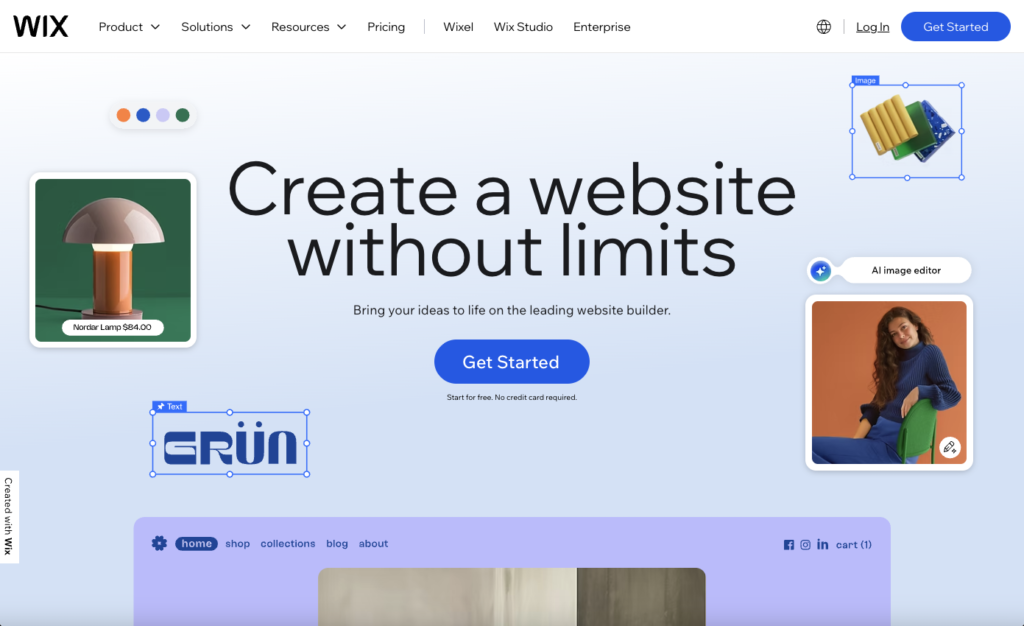
Wix offers one of the most generous nonprofit programs available, providing a completely free premium website to eligible 501(c)(3) organizations. This isn’t a limited free plan—it’s their full premium service at no cost, making it arguably the best website builder for nonprofit organizations operating on minimal budgets.
What You Get Free
The Wix Nonprofit Program provides a premium plan that would normally cost $16-45 per month completely free. This includes a custom domain connection (though you purchase the domain separately), removal of Wix ads, premium templates, and access to Wix’s extensive app marketplace. You get professional website capabilities without the professional website price tag.
The donation tools integration is seamless. Wix integrates with PayPal, Stripe, and specialized nonprofit platforms, allowing you to add donation buttons anywhere on your site. You can set up one-time or recurring donations, create donation tiers with different giving levels, and customize donation forms to match your branding. The fundraising campaign features help you create specific appeals for programs, capital campaigns, or emergency needs.
Design and Customization
Wix provides hundreds of templates specifically designed for nonprofits, including layouts optimized for animal shelters, environmental organizations, social services, religious organizations, and more. The drag-and-drop editor is genuinely intuitive—team members without technical skills can update content, add photos, and maintain the site without hiring developers.
The Wix Editor gives you pixel-perfect control over design elements. You can create custom layouts, incorporate your brand colors throughout the site, design unique donation pages, and build landing pages for specific campaigns or programs. For nonprofits that want complete design freedom, Wix delivers.
Limitations to Consider
While Wix is free for nonprofits, you still need to purchase your domain separately (typically $12-15 per year). The nonprofit program requires annual renewal—you reapply each year to verify continued eligibility. This isn’t burdensome, but it’s worth knowing upfront.
Wix’s SEO capabilities, while improved significantly in recent years, still lag behind WordPress in terms of flexibility and advanced optimization options. For nonprofits prioritizing organic search visibility to attract supporters, this might matter. However, for organizations focused primarily on direct outreach and existing supporter relationships, Wix’s SEO limitations rarely pose practical problems.
Why Wix Works for Small Nonprofits
For small nonprofits with limited budgets and no technical staff, Wix’s combination of free premium service, intuitive interface, and nonprofit-specific features is unbeatable. You can have a professional website up and running in a weekend without writing a single line of code or spending money on subscriptions. The Wix App Market provides integrations for virtually any functionality you need—volunteer scheduling, event ticketing, email marketing, social media feeds, and more.
WordPress.com for Nonprofits: Best for Flexibility and Growth
WordPress powers over 40% of all websites globally, and WordPress.com (the hosted version) offers a 50% discount to nonprofits. This makes WordPress.com an attractive option for nonprofits that want the flexibility and power of WordPress without managing hosting themselves.
The WordPress Advantage
WordPress is infinitely flexible. Thousands of plugins extend functionality in every direction: advanced donation forms, volunteer management, event calendars, membership systems, learning management for training, forums for community building—if you can imagine it, there’s probably a WordPress plugin for it.
This flexibility is particularly valuable for nonprofits with unique needs. Running a food bank that needs inventory management? There’s a plugin. Operating a shelter that needs intake forms and case management? Plugins exist. WordPress’s massive ecosystem means you’re rarely limited by platform constraints.
WordPress.com Nonprofit Discount
The WordPress.com nonprofit program offers 50% off Business and eCommerce plans. The Business plan drops from $25/month to $12.50/month annually ($150/year). This tier includes custom plugins, advanced SEO tools, Google Analytics integration, and removal of WordPress.com branding—essentially giving you nearly all the flexibility of self-hosted WordPress with none of the maintenance headaches.
Built-In Donation Tools
WordPress.com integrates seamlessly with donation platforms like PayPal Donations, Stripe, and GiveWP (a plugin specifically designed for nonprofit fundraising). GiveWP is particularly powerful, offering donor management, recurring donations, donation tracking, donor communication tools, and detailed reporting on fundraising performance.
The Jetpack features included with WordPress.com plans provide security, backups, spam protection, and performance optimization—all essential for maintaining a reliable nonprofit website that donors trust.
Learning Curve Consideration
WordPress has more of a learning curve than Wix or Squarespace. The flexibility comes with complexity. For nonprofits with tech-savvy staff or volunteers, this isn’t an issue. For organizations where everyone is technically inexperienced, the initial learning period might feel overwhelming.
However, WordPress’s ubiquity means finding help is easy. Countless tutorials, documentation, forums, and WordPress-savvy volunteers exist in most communities. Many nonprofits find WordPress volunteers willing to donate their expertise, making the technical barrier less daunting than it initially appears.
Why WordPress.com Fits Growing Nonprofits
Nonprofits that anticipate growth, have evolving needs, or want the ability to customize extensively as they scale should strongly consider WordPress.com. You won’t outgrow the platform—major organizations, universities, and enterprises use WordPress. The 50% nonprofit discount makes it affordable now, and the flexibility ensures it remains suitable as your organization expands.
Weebly for Nonprofits: Best for Simplicity
Weebly, now owned by Square, offers free professional plans to nonprofits. While less feature-rich than some competitors, Weebly’s simplicity makes it appealing for very small nonprofits that need basic websites without complexity.
Drag-and-Drop Simplicity
Weebly’s editor is arguably the simplest of all website builders. You literally drag elements onto pages and drop them where you want them. Adding text, images, videos, forms, or buttons requires no technical knowledge whatsoever. For nonprofits run entirely by volunteers with minimal computer skills, this simplicity is genuinely valuable.
The templates are clean and professional if not particularly innovative. They cover standard nonprofit needs—showcasing programs, sharing stories, collecting donations, promoting events. For organizations that need functional rather than flashy, Weebly delivers.
Free Professional Plan for Nonprofits
Weebly’s nonprofit program provides their Professional plan free, which normally costs $12/month. This includes a custom domain connection, eCommerce capabilities for selling merchandise or event tickets, and removal of Weebly branding. You get password-protected pages for member-only content, site search functionality, and basic SEO tools.
Square Integration
The Square ownership brings benefits for nonprofits needing payment processing. Square payment integration is seamless, allowing you to accept donations, sell items, or charge for event tickets with low processing fees. Square also offers specialized nonprofit pricing on payment processing, potentially saving money on transaction costs.
Limited Advanced Features
Weebly’s simplicity comes with limitations. The app store is smaller than competitors, plugin options are limited, and advanced customization requires understanding code. For nonprofits with straightforward needs, these limitations don’t matter. For organizations needing specialized functionality, they might feel constraining.
Why Weebly Suits Grassroots Nonprofits
Tiny grassroots organizations, community groups, volunteer-run nonprofits, and organizations in their earliest stages will appreciate Weebly’s combination of free service and absolute simplicity. You can create a legitimate web presence in hours without spending money or climbing learning curves. As organizations grow and needs become more sophisticated, you can always migrate to more robust platforms.
Self-Hosted WordPress: Best Long-Term Value
Self-hosted WordPress (installing WordPress yourself on web hosting) isn’t technically a website builder, but it deserves consideration as potentially the best website builder for nonprofit organizations focused on long-term value, complete control, and maximum flexibility.
Why Self-Hosting Makes Sense
With self-hosted WordPress, you pay only for hosting (typically $3-10/month) and own your entire website completely. There are no platform fees, no feature restrictions, no forced upgrades. You can install any theme, any plugin, customize anything, and never worry about platform decisions affecting your site.
For the price of a single year of premium website builders ($120-300), you can run a self-hosted WordPress site for 2-5 years. Over a decade, the cost savings are substantial—money that can fund your mission instead of website subscriptions.
Hosting Options for Nonprofits
Several hosting companies offer excellent service at nonprofit-friendly prices:
Hostinger provides quality hosting starting at $2.99-3.99/month with free SSL certificates, one-click WordPress installation, and 24/7 support. Their performance is solid, uptime is reliable, and the price is impossible to beat for what you get. As affiliates for Hostinger we can also get you a further discount on web hosting. Click here if you want to check it out!
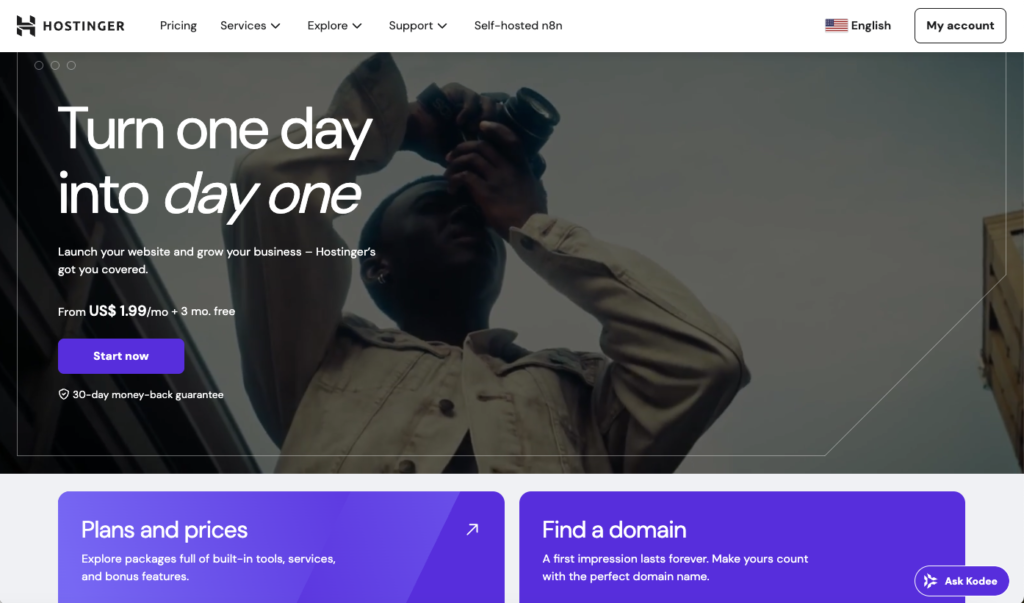
Bluehost occasionally offers specific nonprofit discounts and regularly runs promotions bringing hosting to $2.95-4.95/month. They include a free domain for the first year and are officially recommended by WordPress.org, ensuring compatibility and support.
SiteGround is slightly more expensive ($3.99-7.99/month) but offers superior performance and support. Their customer service is exceptional, which matters for nonprofits without dedicated IT staff.
Complete Flexibility
Self-hosted WordPress gives you access to 60,000+ free plugins and thousands of themes. Need sophisticated donor management? Install a CRM plugin. Want advanced event registration? Multiple options exist. Need to integrate with your specific accounting software? Probably doable.
This flexibility is particularly valuable for nonprofits with unique operational needs that don’t fit neatly into standard website builder templates. You’re never constrained by platform limitations.
Technical Requirements
Self-hosting requires more technical competence than managed website builders. You’re responsible for updates, security, backups, and troubleshooting. For nonprofits with tech-savvy board members, volunteers, or staff, this is manageable. For organizations without technical resources, the maintenance burden might outweigh the cost savings.
Many web designers and developers (like digital marketing agencies) specialize in building WordPress sites for nonprofits at discounted rates or pro-bono. Initial setup by a professional followed by training for staff can give you the best of both worlds—professional setup with manageable ongoing maintenance.
Why Self-Hosted WordPress Maximizes Long-Term Value
For nonprofits serious about long-term web presence, willing to invest modest time in learning or budgeting for occasional professional help, self-hosted WordPress provides unbeatable value. The combination of low cost, complete control, infinite flexibility, and ownership makes it the smartest long-term investment for many nonprofits. If you want help setting up a self-hosted WordPress website we can help!
GoDaddy for Good: Free Websites for Select Nonprofits
GoDaddy’s nonprofit program, GoDaddy for Good, provides completely free websites to eligible nonprofits through an application process. While not as widely promoted as some alternatives, it’s worth considering for nonprofits seeking zero-cost solutions.
What’s Included
Accepted nonprofits receive free website builder access, hosting, and domain registration. The GoDaddy Website Builder is straightforward with templates designed for various nonprofit types. You get mobile optimization, basic SEO tools, and social media integration.
Application Process
GoDaddy for Good is selective. Not all nonprofits get accepted—they prioritize certain cause areas and evaluate applications based on mission impact and need. The application requires detailed information about your organization, its programs, and why you need website assistance.
Limitations
The free offering is GoDaddy’s basic website builder, which lacks some advanced features of premium platforms. Customization is more limited than Wix or Squarespace. For nonprofits with very basic needs, it’s adequate. For organizations wanting sophisticated functionality, other options provide more capability.
When GoDaddy for Good Makes Sense
If you’re a small nonprofit in GoDaddy’s priority cause areas (education, entrepreneurship, or small business development) and have minimal website requirements, applying to GoDaddy for Good costs nothing but time. Approval gets you a completely free solution. Rejection simply means exploring the other excellent nonprofit options available.
Choosing the Right Platform for Your Nonprofit
Selecting the best website builder for nonprofit organizations requires honestly assessing your budget, technical capabilities, feature needs, and growth trajectory. Different platforms excel in different scenarios.
Choose Wix if: You need completely free, have no technical staff, want intuitive drag-and-drop editing, and need good-enough rather than exceptional design.
Choose Squarespace if: You have modest budget ($96-138/year), care deeply about aesthetics, want integrated email marketing, and don’t need extensive custom functionality.
Choose WordPress.com if: You need flexibility, anticipate growth, have some technical capability, want extensive plugin options, and can invest $150/year.
Choose Weebly if: You need maximum simplicity, have zero budget, have minimal technical skills, and need only basic website functionality.
Choose self-hosted WordPress if: You’re thinking long-term (5+ years), have technical resources or budget for occasional professional help, want complete control, and need maximum flexibility for unique requirements.
Beyond the Website Builder
Remember that your website builder is just one piece of your nonprofit’s digital presence. You’ll also need to consider donation processing fees (which can significantly impact fundraising), email marketing tools for donor communication, social media strategy for awareness, and analytics for understanding supporter behavior.
Many nonprofits also qualify for discounted or free access to other critical tools through programs like TechSoup, Google for Nonprofits (free email and workspace tools), and various software companies’ nonprofit programs. Building a complete, affordable technology stack often matters more than obsessing over website builder selection alone.
The best website builder for nonprofit organizations is ultimately the one you’ll actually use effectively. A free, simple platform you update regularly beats an expensive, sophisticated one you lack time or skills to maintain. Start with what fits your current reality, and upgrade as your capabilities and needs evolve.
How to Do Keyword Research in 2026: Complete Guide for Small Businesses
Keyword research is the foundation of SEO success—but most small business owners either skip it…

Similar Software to SEO Clarity: Affordable Alternatives for Small Businesses
If you’re searching for similar software to SEO Clarity, chances are you’ve just experienced serious…
Best SEMrush Alternatives in 2026: Affordable SEO Tools That Actually Work
If you’re searching for the best SEMrush alternatives, you’re probably experiencing one of two things:…
Hotel Email Marketing Software: Why Sender.net is the Perfect Solution for Hotels
Summary: Looking for reliable hotel email marketing software? Sender.net offers hotels everything needed to automate…

How Do I Get More Customers? 10 Proven Strategies for Small Businesses in 2026
Summary: Wondering: “How Do I Get More Customers in 2026?” This comprehensive guide reveals 10…

Best SEO Software for Small Businesses: Tools That Actually Deliver Results in 2026
Summary: Choosing the right SEO software can transform your small business’s online visibility, but with…